
to_stl#
The to_stl function converts a boolean voxel image into an STL object. Various methods for doing the conversion are available, and the returned result can be in a variety of formats.
import porespy as ps
import pyvista as pv
pv.set_jupyter_backend('static')
im#
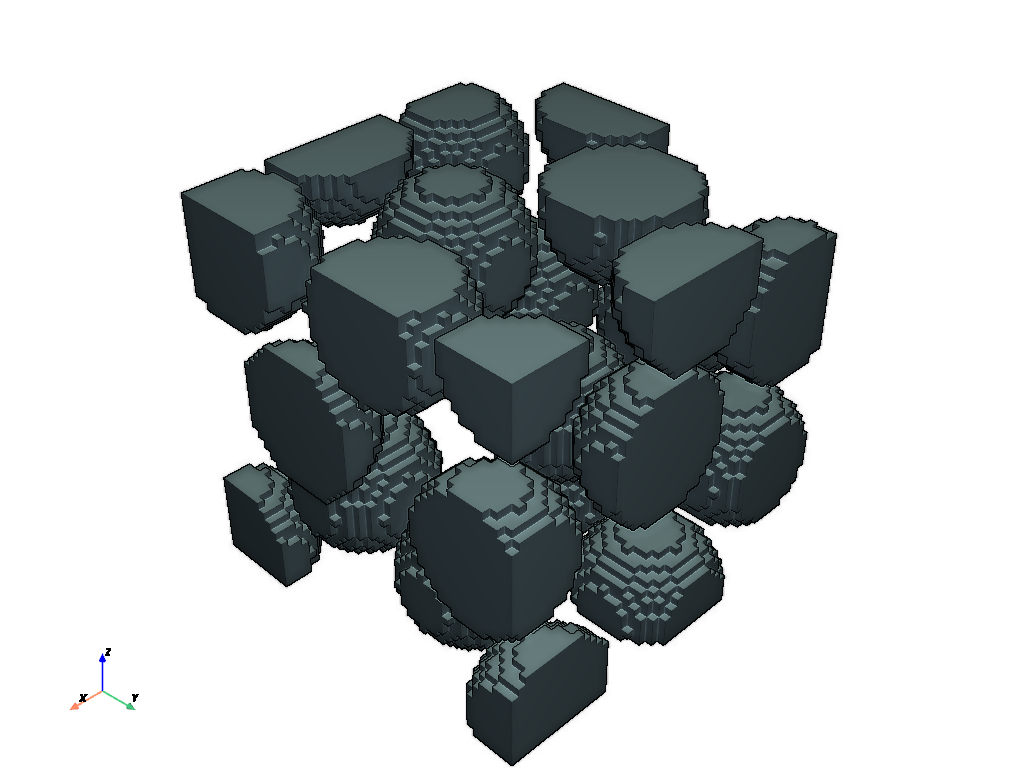
The input image should be a bool. The mesh will represent the True voxels.
im = ps.generators.random_spheres([50, 50, 50], r=8, edges='extended')
mesh = ps.io.to_stl(im, fmt='pyvista')
pv.plot(mesh, eye_dome_lighting=True, jupyter_backend='static')
fmt#
The returned value is an object of the type specified by fmt. Options are ‘pyvista’, ‘meshio’, ‘opend3d’, ‘trimesh’, ‘skgraph’ (aka ‘vfn’ for “vertices”, “faces” and “vertex normals”), and ‘openstl’ (ada ‘triangles’).
mesh = ps.io.to_stl(im, fmt='trimesh')
print(mesh)
---------------------------------------------------------------------------
ModuleNotFoundError                       Traceback (most recent call last)
File ~/work/porespy/porespy/src/porespy/io/_stl.py:338, in to_stl(im, filename, voxel_size, method, fmt, remove_duplicates, tol, close_faces)
    337 try:
--> 338     import trimesh
    339 except ModuleNotFoundError:

ModuleNotFoundError: No module named 'trimesh'

During handling of the above exception, another exception occurred:

ModuleNotFoundError                       Traceback (most recent call last)
Cell In[3], line 1
----> 1 mesh = ps.io.to_stl(im, fmt='trimesh')
      2 print(mesh)

File ~/work/porespy/porespy/src/porespy/io/_stl.py:341, in to_stl(im, filename, voxel_size, method, fmt, remove_duplicates, tol, close_faces)
    339     except ModuleNotFoundError:
    340         msg = "trimesh can be installed with pip install trimesh"
--> 341         raise ModuleNotFoundError(msg)
    342     mesh = trimesh.Trimesh(vertices=v, faces=f, face_normals=n, process=False)
    343 elif fmt == 'open3d':

ModuleNotFoundError: trimesh can be installed with pip install trimesh
‘method’#
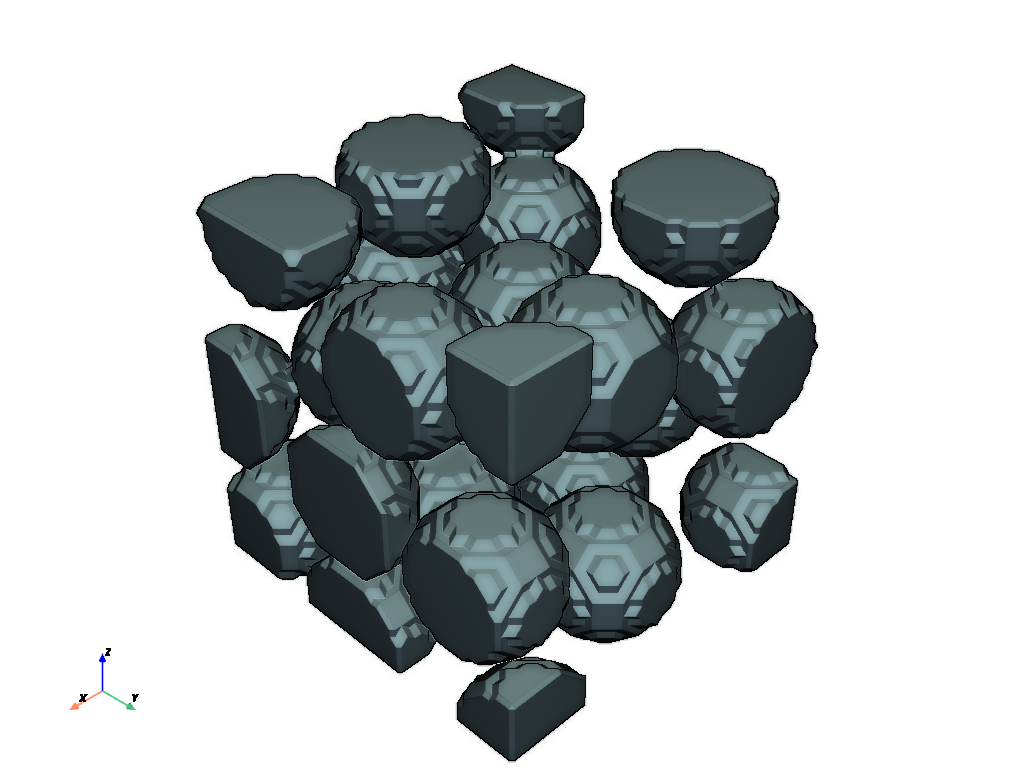
The method used for create the STL mesh can be either ‘direct’, which corresponds exactly to the voxels, and ‘marching-cubes’ which has slightly smoother faces.
mesh = ps.io.to_stl(im, method='marching-cubes', fmt='pyvista')
pv.plot(mesh, eye_dome_lighting=True, jupyter_backend='static')
close_faces#
By default, close_faces=True caps the selected phase wherever it meets the edge of the image. Set close_faces=False to retain only interfaces between True and False voxels inside the image. The exterior is treated as unknown, and uniform images return empty meshes.
For a half-filled 8 × 8 × 8 image, the direct method gives a closed surface area of 256 voxel². The open mesh contains only the internal 8 × 8 interface, with area 64 voxel². This example uses PyVista, which is installed with PoreSpy. It also works with fmt='trimesh' if the optional package is installed.
import numpy as np

half_block = np.zeros((8, 8, 8), dtype=bool)
half_block[:4, :, :] = True
closed = ps.io.to_stl(half_block, fmt='pyvista', remove_duplicates=True)
opened = ps.io.to_stl(
    half_block, fmt='pyvista', remove_duplicates=True, close_faces=False,
)
print(f"Closed area: {closed.area:.1f}; open area: {opened.area:.1f}")
assert np.isclose(closed.area, 256.0)
assert np.isclose(opened.area, 64.0)
assert opened.n_open_edges > 0
The flag also works with method='marching-cubes'. Coordinates follow the image axis order, multiplied by voxel_size. Direct meshes place voxel corners at integer coordinates from 0 to the image shape. Marching cubes preserves its historical padding offset: original voxel samples are at coordinates 1 through the image shape. Open marching-cubes meshes end at those outermost samples, half a voxel inward from the closed caps. Switching the flag preserves internal surface positions.
The methods have different discretizations: for this image, the marching-cubes interface is at coordinate 4.5 along the first axis and spans 7 × 7 between the outermost samples, while the direct interface is at coordinate 4 and spans 8 × 8. Their areas need not agree.
open_mc = ps.io.to_stl(
    half_block, method='marching-cubes', fmt='pyvista',
    remove_duplicates=True, close_faces=False,
)
print(f"Open marching-cubes area: {open_mc.area:.1f}")
assert np.isclose(open_mc.area, 49.0)
assert np.allclose(open_mc.points[:, 0], 4.5)
Open meshes may not be watertight. Their surface area describes the retained interface, but volume calculations require additional assumptions about how to close the surface. Downstream smoothing may need to pin vertices at the crop boundary to keep the interface from retracting.
remove_duplicates#
This option, if set to True removes duplicate vertices and faces to reduce the size of the dataset.
mesh1 = ps.io.to_stl(im, method='marching-cubes', fmt='pyvista', remove_duplicates=False)
mesh2 = ps.io.to_stl(im, method='marching-cubes', fmt='pyvista', remove_duplicates=True)
print(mesh1)
print(mesh2)
PolyData (0x300af6320)
  N Cells:    56084
  N Points:   168252
  N Strips:   0
  X Bounds:   5.000e-01, 5.050e+01
  Y Bounds:   5.000e-01, 5.050e+01
  Z Bounds:   5.000e-01, 5.050e+01
  N Arrays:   0
PolyData (0x300a92b00)
  N Cells:    56084
  N Points:   28064
  N Strips:   0
  X Bounds:   5.000e-01, 5.050e+01
  Y Bounds:   5.000e-01, 5.050e+01
  Z Bounds:   5.000e-01, 5.050e+01
  N Arrays:   0
As can be seen the mesh has quite a lot fewer points after the duplicates are removed.